MIG/MAG welder · MAHE
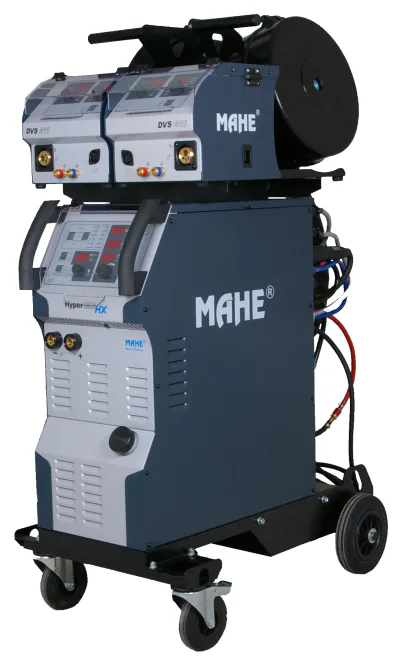
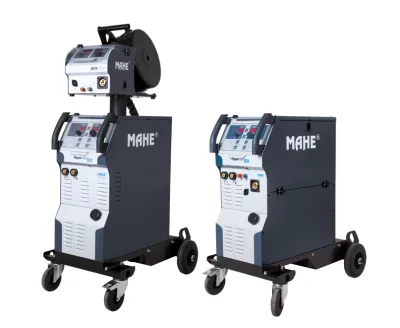
HyperMIG X
MIG/MAG range with pulse and Hyper processes and the new graphic X control panel; equipment depends on the version.

The symbols indicate functions of the range; the scope depends on the panel and activations. Compare CWK benefits and versions
HyperMIG X by MAHE. VES-TECH Swiss agrees delivery and collection in Switzerland and Liechtenstein for each order. We handle commissioning, maintenance, repairs at the partner workshop in Herisau and warranty claims.
Graphic X control panel
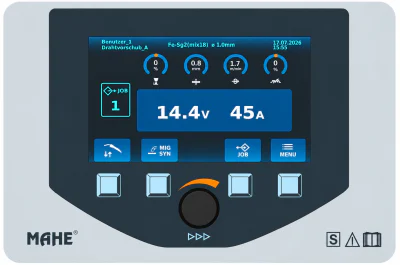
Colour graphic display, four function keys and a central rotary push-button encoder for operating HyperMIG X and HyperMIG TWIN.
Controls and functions in detailClear display
See the program, welding values and active wire feeder.
Direct controls
Select parameters using the function keys and rotary push-button encoder.
99 JOB memories
Save welding settings and recall them for recurring work.
Controls and equipment
HyperMIG CWK: benefits and MAHE function symbols
CWK denotes the compact, water-cooled design. The current MAHE data sheet distinguishes X, HX, EX and SX versions in the 300, 350 and 400 current classes. Here you can see the original manufacturer symbols, their practical benefits and the options identified in the document.
Original MAHE symbols explained
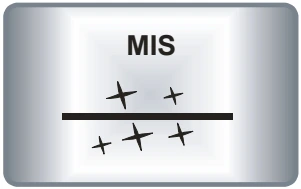
MIS arc
Controlled MIG/MAG arc for reduced spatter. Wire, gas and settings affect the result.
Pulse
Pulsed arc for controlled droplet transfer; identified as an option for EX in the data sheet.
Double pulse
Alternating pulse phases for a regular weld pattern. Activation and panel version must be considered when selecting equipment.
Vertical-up welding
MAHE process for vertical-up welds. The data sheet lists HyperUP as an option for SX.
HyperCold / Root / Force
The combined symbol represents HyperCold, HyperRoot and HyperForce: programs focused on heat input, root passes and penetration.
HyperPuls
MAHE dynamic pulsed arc. Availability differs between panel versions.
MIG brazing
MIG brazing for suitable base materials and filler wires; selection and joint preparation depend on the task.
Wire speed control
Wire feeder speed control. The selected wire speed is part of setting up the welding process.
4-roll drive
Four rollers guide and feed the wire. Roller profile, wire guidance and contact pressure are matched to the wire.
Remote control
Connection for a suitable remote control. The control device and connection are selected to match the equipment version.
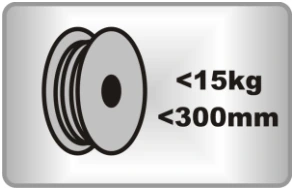
Wire spool < 15 kg / < 300 mm
The manufacturer symbol specifies a wire spool of < 15 kg and < 300 mm. The spool design and mounting must suit the feeder.
Further benefits of the CWK version
- Digital synergic control
- The synergic characteristic links welding parameters for the selected combination of material, wire and shielding gas. Fine adjustment is made to suit the component and joint.
- Temperature-controlled fans
- Fan control adjusts cooling according to the system's thermal condition. The duty cycle of the specific current class remains decisive in use.
- Automatic water pump control
- MAHE specifies automatic water pump on/off operation for CWK. The torch, cooling circuit and connections are selected as a coordinated configuration.
- Illuminated 4-roll drive
- The data sheet describes the wire feed drive as illuminated. This improves visibility of the rollers, wire guidance and wire threading area during setup and maintenance.
Processes and options by CWK version
On small screens, scroll the comparison table horizontally.
| Function | X CWK | HX CWK | EX CWK | SX CWK |
|---|---|---|---|---|
| MIS arc | Listed | Listed | Listed | Listed |
| Pulse | Listed | Listed | Option | Not listed |
| Double pulse | Option | Listed | Option | Not listed |
| HyperPuls | Listed | Listed | Not listed | Option |
| Vertical-up welding | Listed | Listed | Not listed | Option |
| HyperCold / Root / Force | Listed | Listed | Listed | Listed |
| MIG brazing | Listed | Listed | Listed | Not listed |
| MMA stick welding | Listed | Listed | Listed | Listed |
| TIG Lift Arc | Listed | Listed | Option | Not listed |
| Gouging | Listed | Listed | Option | Listed |
Listed means stated in the CWK data sheet or represented by a symbol. For EX, pulse, double pulse, TIG and gouging carry an option asterisk; for SX, HyperPuls and HyperUP do. The graphic X panel instructions also identify double pulse as an option. The exact scope of supply and activations are confirmed in the quotation.
Not listed means that this CWK data sheet does not specify the function for that version. The MAHE website also lists TIG Lift Arc for SX panels; this equipment is therefore checked for the specific machine. The comparison below covers the CWK versions in the document.
The electrical data also differ: the data sheet specifies a 16 A mains fuse for EX CWK model 300 and 25 A for 350/400, compared with 20 A for X, HX and SX. The separate CWK tables in the Technical data tab reflect these differences.
Control panel
X: Graphic control panel
Features
- MIS welding
- Pulse welding
- Double-pulse welding
- MIG brazing
- HyperPuls welding
- HyperForce welding
- HyperCold welding
- HyperRoot welding
- HyperUP welding
- MMA stick welding
- TIG Lift Arc and gouging
- 99 programs in JOB mode
Graphic controls in daily use
The graphic X control panel combines a colour graphic display with four function keys and a central rotary push-button encoder. MAHE lists it for HyperMIG X and HyperMIG TWIN. The interface brings together program selection, welding values and JOB management; the labels above the keys indicate their current functions.
- Program and active wire feeder
- The information bar shows the user, wire material, shielding gas and wire diameter, along with the date and time. Where several wire feeders are installed, it identifies the active feeder. This helps check that the program and loaded wire match the job.
- Four MIG settings at a glance
- The upper settings bar contains arc length correction, material thickness in mm, wire speed in m/min and arc dynamics. Turning the encoder changes the selected value; pressing it moves to the next parameter. According to the instructions, arc length correction and material thickness are not available in manual MIG mode.
- Set values, measured values and HOLD
- The main display shows voltage in V and current in A in large figures. Before welding it displays the set values; during welding it shows the current measurements. Afterwards, the last measured values remain visible as HOLD until the panel is operated or a new weld is started.
- Operating modes and preparation
- The operating mode bar selects 2-step, 4-step, spot and interval operation. Manual wire inching and gas testing are also available there. Synergic program selection is based on wire material, wire diameter and shielding gas.
- Processes and fine adjustment
- Process selection includes the MIG/MAG, pulse and Hyper processes available on the specific system, together with MMA, TIG Lift Arc and carbon arc gouging. MENU provides process-dependent parameters such as gas pre-flow and post-flow, starting behaviour and crater filling. Where double pulse is enabled, frequency and amplitude are also available.
- 99 JOB memories for recurring work
- Welding settings can be saved, recalled and edited in 99 internal memory locations. A suitable combination of wire, gas and parameters can then be reused. The instructions explicitly state that the torch operating mode, such as 2-step or 4-step, is not saved in the JOB and must be selected separately.
- Up to eight user profiles
- The instructions describe up to eight users with their own settings. Language selection, date and time, and displays of power-on time and arc time are also provided. Software status and the serial number are available in the corresponding menu.
Specify the equipment precisely: the MAHE product page lists the panel's possible functions; the instructions identify double pulse as an option. Available processes and activations are therefore confirmed in the quotation for the chosen equipment version. Retrofitting an existing EX, SX or HX system requires checking the model, serial number and software version.
Pulse, Hyper and other welding processes explained in detail
Manufacturer documentation: MAHE HyperMIG X · MAHE HyperMIG TWIN · HyperMIG X · PDF · DE · 4.2
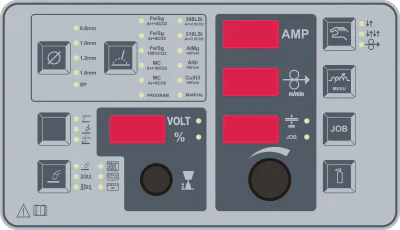
HX: Hyper Front Panel
Features
- MIS welding
- Pulse welding
- Double-pulse welding
- MIG brazing
- HyperPuls welding
- HyperForce welding
- HyperCold welding
- HyperRoot welding
- HyperUP welding
- MMA stick welding
- TIG Lift Arc and gouging
- 99 programs in JOB mode
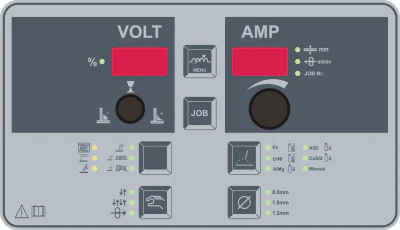
EX: EcoMIG Front Panel
Features
- MIS welding
- MIG brazing
- Hyper Force, Root, Cold
- MMA stick welding
- TIG Lift Arc
- JOB mode with 99 programs
EX: EcoPuls Front Panel
Features
- MIS welding
- Pulse welding
- Double-pulse welding
- MIG brazing
- Hyper Force, Root, Cold
- MMA stick welding
- TIG Lift Arc
- JOB mode with 99 programs
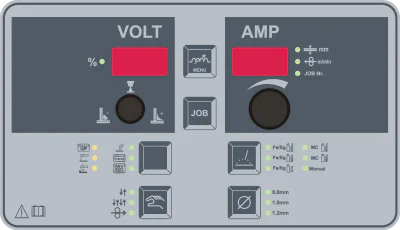
SX: Steel Front Panel
Features
- MIS welding
- HyperCold welding
- HyperRoot welding
- HyperForce welding
- TIG Lift Arc welding
- MMA welding
SX: Steel Puls Front Panel
Features
- MIS welding
- HyperPuls welding
- HyperCold welding
- HyperRoot welding
- HyperForce welding
- HyperUP welding
- TIG Lift Arc welding
- MMA welding
Technical data
Technical data
| Model | 300 | 350 | 400 |
|---|---|---|---|
| Upgrade | max 400A | max 400A | – |
| Mains voltage | 3x400V, 50/60Hz | 3x400V, 50/60Hz | 3x400V, 50/60Hz |
| Mains fuse (time-delay) | 20A | 20A | 20A |
| Open-circuit voltage | 105V | 105V | 105V |
| Effective input current | 19A | 19A | 19A |
| Welding current range | 10 - 300A | 10 - 350A | 10 - 400A |
| Duty cycle at maximum current (40 °C) | – | – | 45% / 400A |
| Current at 60 % duty cycle (40 °C) | – | 350A | 360A |
| Current at 100 % duty cycle (40 °C) | 300A | 300A | 300A |
| Efficiency | 86% | 86% | 86% |
| Idle power consumption | 43W | 43W | 43W |
| Power factor | 0.95 | 0.95 | 0.95 |
| Recommended generator power | 17kVA | 21kVA | 25kVA |
| CWK dimensions (H × W × L) | 930x512x864mm | 930x512x864mm | 930x512x864mm |
| CWK weight | 70kg | 70kg | 70kg |
| Degree of protection | IP23 | IP23 | IP23 |
| Conformity marking | CE | CE | CE |
| Safety class | S | S | S |
CWK models X, HX and SX according to the identical tables on PDF pages 2, 4 and 8. A dash means the table cell contains no value. Process equipment must be selected separately from the electrical data.
MAHE X / HX / EX / SX CWK data sheet · PDF · German
| Model | 300 | 350 | 400 |
|---|---|---|---|
| Upgrade | – | max 400A | – |
| Mains voltage | 3x400V, 50/60Hz | 3x400V, 50/60Hz | 3x400V, 50/60Hz |
| Mains fuse (time-delay) | 16A | 25A | 25A |
| Open-circuit voltage | 105V | 105V | 105V |
| Effective input current | 12.5A | 19A | 19A |
| Welding current range | 10 - 300A | 10 - 350A | 10 - 400A |
| Duty cycle at maximum current (40 °C) | 40% / 300A | – | 45% / 400A |
| Current at 60 % duty cycle (40 °C) | 240A | 350A | 360A |
| Current at 100 % duty cycle (40 °C) | 180A | 300A | 300A |
| Efficiency | 86% | 87% | 87% |
| Idle power consumption | 20W | 43W | 43W |
| Power factor | 0.73 | 0.95 | 0.95 |
| Recommended generator power | 22kVA | 21kVA | 25kVA |
| CWK dimensions (H × W × L) | 930x512x864mm | 930x512x864mm | 930x512x864mm |
| Degree of protection | IP23 | IP23 | IP23 |
| Conformity marking | CE | CE | CE |
| Safety class | S | S | S |
EX CWK according to PDF page 6. Process option asterisks appear in the equipment comparison. The original weight row has no unit and is therefore not reproduced here as a technical weight specification pending clarification.
MAHE X / HX / EX / SX CWK data sheet · PDF · German
| Model | 300 | 350 | 400 | 450* | 500* | 550* | 600* |
|---|---|---|---|---|---|---|---|
| Upgrade | max 400A | max 400A | – | max 600A | max 600A | max 600A | – |
| Mains voltage | 3x400V, 50/60Hz | 3x400V, 50/60Hz | 3x400V, 50/60Hz | 3x400V, 50/60Hz | 3x400V, 50/60Hz | 3x400V, 50/60Hz | 3x400V, 50/60Hz |
| Mains fuse | 20A | 20A | 20A | 32A | 32A | 32A | 32A |
| Open-circuit voltage | 105V | 105V | 105V | 105V | 105V | 105V | 105V |
| Effective input current | 19A | 19A | 19A | 32A | 32A | 32A | 32A |
| Welding current range | 10 - 300A | 10 - 350A | 10 - 400A | 10 - 450A | 10 - 500A | 10 - 550A | 10 - 600A |
| Duty cycle at maximum current (40 °C) | – | – | 45% / 400A | – | 70% / 500A | 50% / 550A | 40% / 600A |
| Current at 60 % duty cycle (40 °C) | – | 350A | 360A | – | – | 530A | 530A |
| Current at 100 % duty cycle (40 °C) | 300A | 300A | 300A | 450A | 450A | 450A | 450A |
| CWK/CGK dimensions | 930x512x864mm | 930x512x864mm | 930x512x864mm | – | – | – | – |
| WWK/WGK dimensions | 1400x512x864mm | 1400x512x864mm | 1400x512x864mm | 1400x512x864mm | 1400x512x864mm | 1400x512x864mm | 1400x512x864mm |
| CGK weight | 65kg | 65kg | 65kg | – | – | – | – |
| CWK weight | 70kg | 70kg | 70kg | – | – | – | – |
| WGK weight | 80kg | 80kg | 80kg | – | – | – | – |
| WWK weight | 85kg | 85kg | 85kg | 92kg | 92kg | 92kg | 92kg |
| Degree of protection | IP23 | IP23 | IP23 | IP23 | IP23 | IP23 | IP23 |
| Conformity marking | CE | CE | CE | CE | CE | CE | CE |
| Safety class | S | S | S | S | S | S | S |
General HyperMIG X table from the MAHE website. For CWK X/HX/SX and EX, use the separate tables from the current CWK data sheet above. Current classes marked * are available only as WWK.
Equipment
Compatible accessories
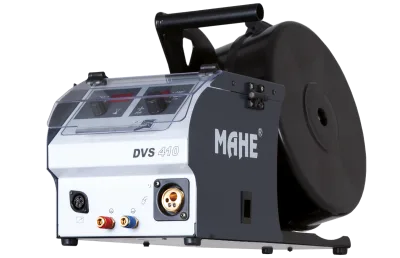
DVS 410
Lightweight wire feeder for the HyperMIG X series.
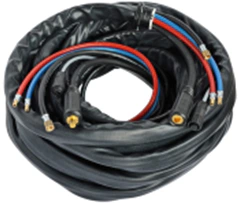
Interconnecting cable assembly
Interconnecting cable assembly connecting the HyperMIG X power source to the wire feeder.
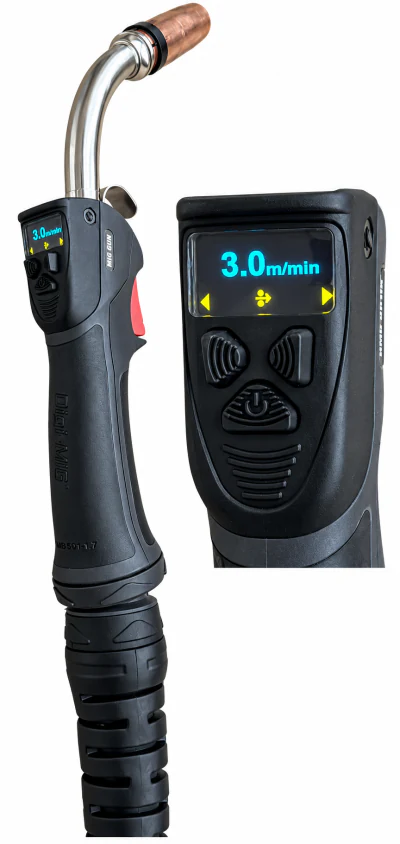
MG500
Water-cooled MIG/MAG torch with graphic display and remote control, rated at 500 A at 60 % duty cycle, 4 m long.
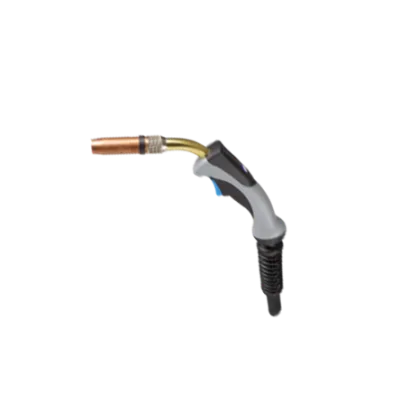
MF405W
Water-cooled MIG/MAG torch for the HyperMIG X series.
MF240W
Water-cooled MIG/MAG torch for lower power ranges.
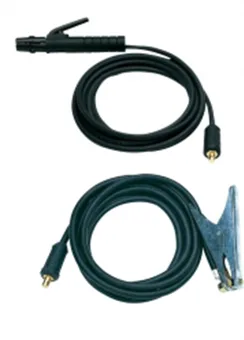
Electrode cable 25–90 mm²
Electrode cable for HyperMIG X, EcoMIG, MMS and Delta welding systems.
Work return cable 25–90 mm²
Work return cable for HyperMIG X, EcoMIG, MMS and Delta welding systems.
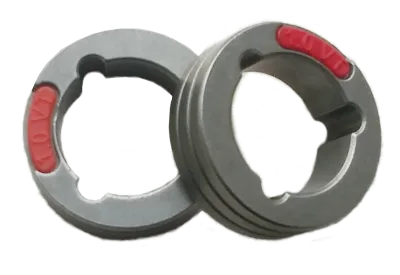
HyperMIG X wire feed rollers
Wire feed rollers for the HyperMIG X series, with versions for steel and aluminium as well as knurled versions.